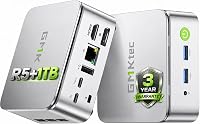
GMKtec vs Beelink Mini PC: Which Brand Is Better? (November 2026)
For GMKtec vs Beelink, choose the G3S for a basic desk, the Mini S12 for more local files, or the SER3 for memory and upgrades. Your workload and connections matter more than the brand name.
On this page (14 sections)
- GMKtec vs Beelink: what actually changes your choice?
- Who should buy the GMKtec G3S, and who should skip it?
- Who should buy the Beelink Mini S12?
- Who should buy the Beelink SER3?
- Which specifications deserve the most attention?
- Will these mini PCs work with your monitors and accessories?
- How should you set up a GMKtec or Beelink mini PC?
- How can you keep a small PC cool and easy to maintain?
- Which model makes sense for a small home server?
- What warranty terms should you compare?
- Side-by-side specs for GMKtec and Beelink
- What mistakes should you avoid before ordering?
- Where can you check brand support?
- GMKtec vs Beelink: which should you choose?
For GMKtec vs Beelink, choose the G3S for a basic home desk, the Mini S12 for more local storage, or the SER3 for extra memory and future upgrades. There isn't one brand winner across these different configurations.
Start with your daily work: a few documents and browser tabs, a growing file library, or several apps that stay open together. Then match the computer to your monitors, accessories and support needs.
GoodsTopia compared these configurations for home and office buyers. For alternatives beyond these brands, see our best mini PC buyer's guide.


GMKtec vs Beelink: what actually changes your choice?
Memory, storage and connections separate these choices more usefully than the brand names. The G3S and Mini S12 share their processor and memory capacity, while the SER3 offers a different processor and more memory.
Treat the two N95 machines as direct alternatives for a basic desktop. Decide whether you need more space for files or prefer the G3S's wireless features and warranty structure.
The SER3 belongs on your shortlist when memory use or future expansion drives the decision. It isn't an automatic speed upgrade just because it has a Ryzen name.
Our best mini PC brands guide explains how to compare manufacturers without letting a brand name replace a model check.
GMKtec vs Beelink for a shared family computer
Choose around the busiest user, especially if several people will install apps and keep files locally. Separate user accounts help organize documents, but they still share the same storage drive.
A family computer used mainly for email, school portals and web forms has different needs from one holding years of photos. Estimate the file space first, then consider how many apps the busiest user keeps open.
Who should buy the GMKtec G3S, and who should skip it?
Buy the G3S for straightforward desk work when you keep a modest number of files on the computer. Its Intel N95 has 4 cores and 4 threads, with speeds up to 3.4GHz, alongside 8GB DDR4 RAM and a 256GB M.2 2242 SSD.
That configuration fits a focused routine: write a document, manage email, use a browser and play video. Buyers who already store larger files elsewhere have less reason to choose a computer around SSD capacity.
Skip this configuration if you expect to keep a large media library locally or leave many memory-heavy apps open. Plan those needs before buying instead of assuming every small PC accepts the same upgrades.
The G3S also makes sense for a simple second workspace with an existing monitor and keyboard. Include any missing accessories in your budget so the small computer doesn't become an incomplete desk.
Who should buy the Beelink Mini S12?
Choose the Mini S12 for more local storage while staying with the same N95 processor and memory capacity as the G3S. Its 480GB SSD gives you more room for documents, photos and installed apps.
That extra space is useful for a shared household PC or a desk where you prefer local folders to constant external-drive use. It also gives software updates and growing work folders more room.
Skip it if your main complaint with an existing computer is running out of memory while apps are open. A larger SSD stores more files, but it doesn't provide more RAM for active work.
Its four USB 3.2 Gen 2 ports suit a keyboard, mouse, webcam and another wired accessory. Count what you connect at the same time, including backup drives, before deciding whether you need a hub.
Who should buy the Beelink SER3?
Choose the SER3 when memory and expansion are your priorities. It pairs a Ryzen 3 3200U with 2 cores and 4 threads, up to 3.5GHz, with 16GB DDR4 RAM and a 500GB NVMe M.2 SSD.
More memory gives open apps more room before the operating system needs to move data between RAM and storage. This matters for a workday that combines a browser, documents, spreadsheets and communication apps.
Beelink supports expansion to 32GB RAM, an NVMe drive up to 2TB and a separate 2.5-inch SATA drive up to 2TB. That makes the SER3 the clearest option here for a planned internal upgrade.
Skip it if you're choosing solely because its maximum clock speed looks higher. Processor design, workload and cooling affect performance, so a small GHz difference cannot settle the comparison.
Before ordering parts, check memory compatibility and drive fit. Our guide to upgrading mini PC RAM explains the checks that prevent buying an unsuitable module.
Which specifications deserve the most attention?
Match the specification to the task it changes: RAM affects room for active apps, SSD capacity affects file space, and ports determine what connects directly. None replaces the others.
For everyday work, start by listing the programs you use together. A browser with many busy tabs can need more memory than a short session with a document and email.
For storage, count apps, downloads, photos and any cloud folders kept offline. Leave spare room for updates and working files rather than planning to fill the drive immediately.
For CPU-heavy work, check your software's requirements before choosing any of these configurations. Frequent video exports, large creative projects or demanding games call for a broader search through our best budget mini PCs.
Will these mini PCs work with your monitors and accessories?
All 3 support two HDMI displays at up to 4K and 60Hz. That suits a desk with a document on one screen and reference material on the other, provided your monitors and cables support the chosen mode.
Don't confuse display output with graphics performance. Driving a desktop at a high resolution doesn't mean a computer can run demanding games at that resolution.
The G3S has USB 3.2 connections, while the SER3 provides four USB 3.2 ports. Each model also has an audio connection and Gigabit Ethernet.
Check monitor inputs before buying adapters. If your screen only accepts DisplayPort or USB-C video, you'll need a compatible connection plan rather than assuming the cable ends are interchangeable.
For wireless accessories, the G3S and SER3 have Bluetooth 5.0, while the Mini S12 uses Bluetooth 4.2. All offer Wi-Fi 5 connectivity, also called 802.11ac.
A newer Bluetooth version alone doesn't guarantee better headset sound or longer range. Accessory support, nearby interference and placement also affect the connection.
How should you set up a GMKtec or Beelink mini PC?
Complete the first startup on an open desk before mounting the computer or routing cables tightly. This keeps the power button and connections easy to reach while you check the setup.
- Connect one monitor, a keyboard and a mouse, then attach the supplied power adapter.
- Follow the operating system's setup prompts and confirm the keyboard layout, region and account choices.
- Once online, install operating system and security updates, then restart as needed.
- Add the second screen and other accessories one at a time.
- Set up backups before moving important files onto the computer.
Beelink advises keeping the Mini S12 disconnected from Ethernet and Wi-Fi until its operating system is running for the first time. Follow that model-specific instruction during initial startup.
The SER3 comes with Windows 11 Pro. Confirm the included operating system and license for the exact G3S or Mini S12 configuration before you order if Windows is essential.
After connecting two monitors, select “extend” if you want separate work areas. Match scaling and screen arrangement to their physical positions so text and pointer movement feel natural.
Our mini PC setup guide walks through the monitor, keyboard and connection steps in more detail.
How can you keep a small PC cool and easy to maintain?
Keep the vents clear and the computer on a firm surface. These models use active cooling, so placement matters even when the case takes little desk space.
Avoid soft fabric, closed drawers and tight gaps behind furniture. When mounting behind a monitor, leave access for airflow, cables and the power connection.
Dust buildup can restrict airflow over time. Shut down and unplug the computer before cleaning exterior vents, and follow its care instructions before opening the case.
Keep drinks away from the computer and avoid pulling on connected cables. A compact case can shift when a stiff cable or external drive hangs from the edge of a desk.
For file care, use a regular backup routine and remove downloads you no longer need. Extra internal storage is useful working space, but a second drive inside the same computer isn't a complete backup plan.
Which model makes sense for a small home server?
Start with the service you want to run, then check its memory, storage and network needs. A shared folder, scheduled backup task and media server can place very different demands on a computer.
The G3S and Mini S12 support Wake On LAN, PXE Boot, RTC Wake and Auto Power On. These features support remote startup, network boot or scheduled startup when properly configured.
Use Ethernet for a fixed server when running a cable is practical. It removes wireless signal changes from the connection between the computer and your router.
For media use, distinguish direct playback from live video conversion. A server that changes video formats for other devices can face a much heavier workload than one that simply sends a compatible file.
The SER3's expansion options suit a plan that needs more internal capacity. Confirm any required remote-start functions before choosing it, and keep a separate backup of important server files.
What warranty terms should you compare?
Compare the service offered in each year, not just the warranty length. Both brands offer 3-year coverage for these models, but their return and replacement terms differ.
For purchases starting in October 2026, GMKtec provides free whole-unit returns and replacements during the first year. The following two years cover free replacement of major components, with coverage beginning on the purchase date.
Beelink offers a 3-year warranty and lifetime technical support for the Mini S12. Its SER3 terms exclude returns and refunds after the first year.
Keep your receipt, model details and a record of any support conversation. Before requesting service, back up accessible files and ask how stored data will be handled.
Side-by-side specs for GMKtec and Beelink
Use the table to check your final shortlist, then choose around the workload you described. More storage helps a file-heavy desk; more memory helps when active apps need it.
| Product | Best for | Processor | Memory and storage | Displays | Our score |
|---|---|---|---|---|---|
| GMKtec G3S mini PC | basic home desks | Intel N95, up to 3.4GHz | 8GB DDR4, 256GB SSD | 2 HDMI, 4K at 60Hz | 8.5 |
| Beelink Mini S12 mini PC | local file storage | Intel N95, up to 3.4GHz | 8GB DDR4, 480GB SSD | 2 HDMI, 4K at 60Hz | 8.0 |
| Beelink SER3 16GB mini PC | future upgrades | AMD Ryzen 3 3200U, up to 3.5GHz | 16GB DDR4, 500GB NVMe SSD | 2 HDMI, up to 4K at 60Hz | 7.9 |
Avoid paying for an upgrade plan you won't use. A computer that already meets your needs is simpler than buying a smaller configuration and immediately replacing parts.
The same applies to accessories. Count the monitor cables, webcam, speakers and storage devices you need so the full setup fits your desk and budget.
What mistakes should you avoid before ordering?
Check the exact configuration and your software requirements before choosing by model name. Similar-looking mini PCs can ship with different memory, drives and operating systems.
- Don't assume more SSD space means faster multitasking.
- Don't rank different processors by GHz alone.
- Don't assume a USB port supports monitor output.
- Don't treat dual-screen support as a gaming performance claim.
- Don't buy upgrade parts before confirming compatibility.
- Don't assume a warranty includes refunds for its full length.
Also separate a daily work computer from a project computer. If you need dependable access to specific work software, settle compatibility and setup requirements before planning server experiments or hardware changes.
Where can you check brand support?
Contact the brand with the exact model and configuration for upgrade or warranty questions. Include the purchase date for service requests and the full part number when asking about replacement memory or storage.
GMKtec vs Beelink: which should you choose?
Pick the G3S for a focused everyday desk, especially when your files already live elsewhere. Choose the Mini S12 when local file space is the main reason to move away from that configuration.
Choose the SER3 when your work needs more memory or you have a clear internal expansion plan. If demanding creative work or gaming drives the purchase, broaden the search before committing to any of these models.
For GMKtec vs Beelink, write down your busiest workload, required connections and file-storage plan, then choose the configuration that meets all 3. Our home office mini PC guide helps you compare that choice with other desk-focused options.
Frequently asked questions
Is GMKtec better than Beelink?
Choose the model that fits your work rather than declaring one brand better; the G3S suits a basic desk with modest local storage needs, the Mini S12 provides more SSD space, and the SER3 offers more memory and defined expansion options. Those differences matter more than the logo.
What is the difference between the GMKtec G3S and Beelink Mini S12?
Storage capacity and Bluetooth version are the main differences; the G3S has a 256GB SSD and Bluetooth 5.0, while the Mini S12 has a 480GB SSD and Bluetooth 4.2. Both use an Intel N95 with 8GB RAM, so extra disk space shouldn't be confused with extra multitasking memory.
Is the Beelink SER3 faster than the GMKtec G3S?
The SER3's extra RAM doesn't mean its processor is faster; it gives open apps more memory, which matters when memory use is high. The G3S and SER3 use different processor designs, so maximum clock speed alone cannot rank them for every task or software package.
Which mini PC is better for two monitors?
All 3 support two HDMI displays at up to 4K and 60Hz, so monitor connections won't separate them for a matching dual-screen desk. Check both monitors' inputs and use suitable cables; display support describes what you can connect; it doesn't promise fast games or demanding graphics work.
Which brand offers a longer warranty?
Both brands offer 3-year warranties for these models, but coverage differs; for purchases starting in October 2026, GMKtec covers whole-unit returns and replacements in year 1 and major-component replacements in years 2 and 3. Beelink offers 3-year coverage but excludes SER3 returns and refunds after year 1.